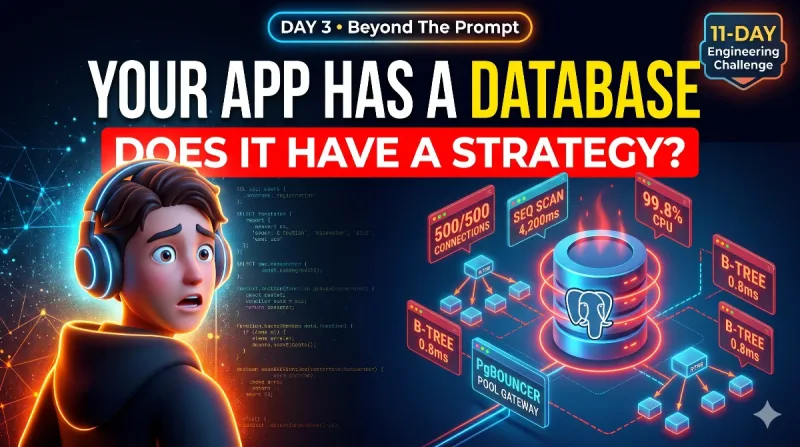
Day 3 — Your App Has a Database. But Does It Have a Database Strategy?
Part 3 of 11 in the Beyond the Prompt Series.
---
It is 11:15 AM on a Monday. Your B2B SaaS startup just captured the top spot on Product Hunt and the front page of Hacker News. Signups surge from 1,200 users to 38,000 in six hours.
You sit back, watching your analytics dashboard. The stack is modern and clean: Next.js, an Object-Relational Mapper (ORM), and a managed PostgreSQL instance on AWS RDS with 4 vCPUs and 16 GB of RAM. You assumed you had months of headroom.
At 11:32 AM, the dashboard freezes.
Users trying to log in are greeted by infinite loading spinners. Your API gateways begin returning:
Can't reach database server at 'db.postgres.aws.internal:5432'. Connection pool timeout.
You log into the AWS RDS console and witness total system saturation:
- CPU Utilization: 99.8% (flatlined at maximum capacity).
- Database Connections: 500 / 500 (connection pool completely exhausted).
- Read IOPS: 12,000 IOPS (disk read queue depth skyrocketing).
- Freeable Memory: Dropped from 12 GB to 42 MB.
Every worker process in your application cluster is desperately attempting to open a database connection, waiting 30 seconds, timing out, and retrying in a cascading death spiral.
You inspect your schema history to see what changed. Nothing did. The schema was generated by prompting an AI: "Create a PostgreSQL schema for a project management tool with users, organizations, projects, and activities." The AI generated clean models and foreign keys. What it failed to create was a composite index on organization_id and created_at.
When your table had 500 rows, PostgreSQL scanned the entire dataset in 0.4 milliseconds in RAM. But when the activity table surpassed 850,000 rows, a simple query executed on every dashboard load triggered a Sequential Table Scan across 850,000 rows on physical disk. At 40 concurrent users, that single query took 4 seconds. At 400 concurrent users, it brought down your entire company.
---
1. Technical Context: Relational Storage Engines and the Physics of Disk I/O
An Object-Relational Mapper (such as Django's ORM or Prisma in Node.js) creates an abstraction layer that makes database tables look like native language objects. But underneath that abstraction lies a relentless storage engine governed by physical hardware constraints.
``
+-------------------------------------------------------------------------+
|                  THE QUERY EXECUTION PATH                               |
+-------------------------------------------------------------------------+
|  UNINDEXED SEQUENTIAL SCAN         |  B-TREE COMPOSITE INDEX SCAN       |
|  Query: WHERE org_id = '123'       |  Query: WHERE org_id = '123'       |
|                                    |                                    |
|  [Disk Block 1] ──> Read & Check   |  [Root B-Tree Node]                |
|  [Disk Block 2] ──> Read & Check   |         │                          |
|  [Disk Block 3] ──> Read & Check   |         ▼                          |
|  ... (850,000 rows on disk)        |  [Leaf Page: 4 hops in RAM]        |
|  Time: 4,200ms | IOPS: Maxed       |  Time: 0.8ms | IOPS: Minimal       |
+-------------------------------------------------------------------------+
`
When a relational database executes a query, it must evaluate how to retrieve the requested rows:
- Sequential Scan (Seq Scan): The engine reads every single page block allocated to the table from disk into memory, evaluates the filter conditions row by row, and discards non-matching records. As table volume grows linearly ($O(N)$), query duration and disk read input/output operations per second (IOPS) explode.
- Index Scan (B-Tree): The engine traverses a balanced tree data structure from root to leaf in $O(\log N)$ logarithmic time, finds the exact physical heap tuple pointers (TID), and retrieves only the required rows off disk.
If you do not explicitly design an indexing strategy, the database has no choice but to default to brute force.
---
2. How the Failure Happens: Connection Starvation, Migration Locks, and Soft Deletes
Databases do not fail solely because of slow queries; they fail because slow queries trigger cascading resource exhaustion across three distinct architectural vectors.
Process-Based Connection Starvation
Unlike web servers that handle thousands of concurrent requests on asynchronous event loops, PostgreSQL allocates a dedicated operating system process to every single client connection. Each connection consumes between 5 MB and 15 MB of RAM just to maintain socket buffers and session state.
When you deploy on serverless platforms (Vercel, AWS Lambda) or auto-scaling container clusters:
1. Traffic spikes, spinning up 500 serverless execution environments.
2. Each container opens its own direct connection to port 5432.
3. 500 connections $\times$ 10 MB = 5 GB of server RAM consumed solely by idle network sockets, before any SQL query executes.
4. When unindexed queries cause execution times to jump from 5ms to 4,000ms, connections remain open 800 times longer, completely exhausting the database connection limit.
The Exclusive Lock Migration Trap
When an AI assistant advises you to run:
ALTER TABLE orders ADD COLUMN status VARCHAR NOT NULL DEFAULT 'PENDING';
On a large production table, this command can acquire an ACCESS EXCLUSIVE lock. This lock blocks all incoming reads and writes. Every active user request trying to access the orders table queues behind the migration until the operation completes. If the table contains millions of rows, your entire application goes dark.
The Soft-Delete Unique Constraint Collision
AI tools frequently implement soft deletes by adding deleted_at TIMESTAMP to user tables. This quietly destroys relational integrity:
john@example.com deletes his account (deleted_at = NOW()), and later attempts to re-register with the same email, the database throws a unique constraint violation error because the soft-deleted row still exists.
Furthermore, every subsequent query across the application must explicitly append WHERE deleted_at IS NULL, rendering standard indexes bloated and ineffective.
---
3. Practical Use Cases & Architectural Comparison
A production database strategy moves beyond ORM convenience to address indexing plans, connection proxies, and automated disaster recovery.
The table below contrasts naive database usage with senior engineering best practices:
| Dimension | Naïve AI-Generated Approach | Production Database Strategy |
| :--- | :--- | :--- |
| Query Paths | Rely on default primary key indexes. | Composite B-Tree indexes matching filter + sort patterns. |
| Connection Layer | Direct connections from every container. | Multiplexed connection pooling via PgBouncer / RDS Proxy. |
| Pagination | Offset-based pagination (OFFSET 50000). | Keyset / Cursor pagination (WHERE created_at < cursor). |
| Schema Updates | Blind ORM migrations (prisma db push). | Non-blocking multi-step migrations with check constraints. |
| Soft Deletes | Global deleted_at column on main tables. | Partial indexes (WHERE deleted_at IS NULL) or archive tables. |
| Disaster Recovery| Manual periodic database snapshots. | Continuous Write-Ahead Log (WAL) archiving for PITR. |
Designing the Composite Index
When your dashboard queries:
SELECT FROM activities WHERE organization_id = 'org_123' ORDER BY created_at DESC LIMIT 20;
Adding two independent single-column indexes does not solve the bottleneck. The database must still perform an expensive in-memory sort on all rows belonging to that organization. The production solution is a Composite Index ordered by the filter column first, and the sort column second:
CREATE INDEX idx_activities_org_created ON activities (organization_id, created_at DESC);
This allows PostgreSQL to jump directly to the organization and read the first 20 records in pre-sorted order, dropping execution time from 4,200ms to 0.8ms.

---

4. Limitations and Architectural Boundaries


While database hardening is critical, developers must understand the technical trade-offs of storage optimizations:

1. Write Amplification from Over-Indexing: Every index you add speeds up read queries, but imposes a direct performance penalty on INSERT, UPDATE, and DELETE operations. The database engine must update every associated B-Tree on disk for every write. Maintain only indexes supported by real-world query telemetry.
2. Transaction Pooling Constraints with PgBouncer: Running PgBouncer in Transaction Pooling mode allows thousands of application clients to share a tiny pool of connections. However, transaction pooling breaks certain session-level features, such as prepared statements, temporary tables, and LISTEN/NOTIFY commands.
3. Replication Lag on Read Replicas: Routing heavy reporting queries to read replicas frees the primary database. However, data replication is asynchronous. If a user updates their profile and immediately refreshes the page, reading from a replica can display stale data due to replication lag (typically 10ms to 500ms).
---
5. Strategic Implications for Engineering Teams and Founders
The architectural maturity of your database directly determines company valuation and survivability:
- Data as an Irreplaceable Asset: Application code can be rewritten or regenerated overnight. Infrastructure can be reprovisioned with code. But corrupted state, lost transactions, or unrecoverable database outages can destroy a business instantly.
- Infrastructure Cost Efficiency: Running an unindexed database forces teams to aggressively over-provision expensive cloud instances (jumping from $50/month to $1,500/month RDS instances) to mask poor query design. Proper indexing allows modest hardware to serve tens of thousands of users effortlessly.
- Zero-Downtime Releases: Modern web applications cannot afford 30-minute maintenance windows during working hours. Implementing non-blocking migration patterns ensures new features ship continuously without disrupting active revenue streams.
---
6. What Next: The Day 3 Action Plan
Audit your production database setup immediately using these three tactical steps:
1. Run EXPLAIN ANALYZE on Top Queries: Identify your three highest-frequency API routes. Extract their raw SQL queries and run EXPLAIN ANALYZE in your database console. If the query plan displays Seq Scan on a table with more than 10,000 rows, design a composite index immediately.
2. Implement PgBouncer or Connection Pooling: If you deploy to Vercel, AWS Lambda, or auto-scaling containers, place a connection pooler in transaction mode between your application and database today. Cap direct engine connections to 20–50.
3. Verify Your Point-In-Time Recovery (PITR): Verify that Write-Ahead Log (WAL) archiving is active on your cloud database. Execute a test restore to an isolated staging instance to verify that you can recover data down to a specific minute.
---
Frequently Asked Questions (FAQs)
What is the difference between a Sequential Scan and an Index Scan?
A Sequential Scan reads every single data block of a table from disk sequentially to find matching rows, which scales poorly as data volume increases. An Index Scan traverses an ordered B-Tree data structure to locate and retrieve only the specific matching rows, providing fast, logarithmic lookups.
Why do serverless functions quickly exhaust database connection pools?
Serverless architectures spin up independent runtime containers on demand to handle concurrent requests. If each container opens a direct connection to PostgreSQL, a burst of traffic creates hundreds of simultaneous connections. PostgreSQL allocates a separate OS process for each connection, rapidly exhausting server memory.
What is the purpose of PgBouncer?
PgBouncer is a lightweight connection pooler for PostgreSQL. It maintains a small, fixed pool of physical connections to the database engine while allowing thousands of client applications to connect to it. In transaction pooling mode, it assigns a physical connection only for the duration of a single SQL transaction.
Why is cursor-based pagination preferred over offset pagination?
Offset pagination (OFFSET 50000 LIMIT 20) requires the database engine to scan, count, and discard 50,000 rows before returning the next 20 rows, degrading performance significantly on deep pages. Cursor pagination (WHERE id > last_seen_id LIMIT 20`) uses an index to jump directly to the target record instantly.
What is Point-In-Time Recovery (PITR)?
Point-In-Time Recovery is a disaster recovery mechanism that combines regular base database backups with continuous streams of Write-Ahead Logs (WAL). It allows administrators to restore the database to its exact state at any specific second in the past, minimizing data loss during catastrophic failures.
---
Conclusion
Treating a database like an infinite, invisible spreadsheet is acceptable for a weekend prototype. Building a sustainable, scalable business requires an explicit storage strategy.
PostgreSQL will happily store your data and serve your queries. But without composite indexing, connection pooling, and non-blocking migrations, the physics of disk I/O will eventually deliver an unforgiving reality check.
👉 Continue to Day 4 — Authentication Is Not Authorization: Your Users Can Log In. But Can They Access Someone Else's Data?
---
Sources & References
PostgreSQL Performance Optimization Documentation: PostgreSQL Global Development Group. (Updated 2024). Using EXPLAIN and Understanding Query Execution Plans*. postgresql.org/docs/current/using-explain.html
PgBouncer Official Architectural Manual: PgBouncer Development Team. (Updated 2024). Connection Pooling Modes and Configuration*. pgbouncer.org/usage.html
AWS Relational Database Service (RDS) Best Practices: Amazon Web Services. (Updated 2024). Best Practices for Working with PostgreSQL on AWS RDS*. docs.aws.amazon.com/AmazonRDS/latest/UserGuide/CHAP_BestPractices.html