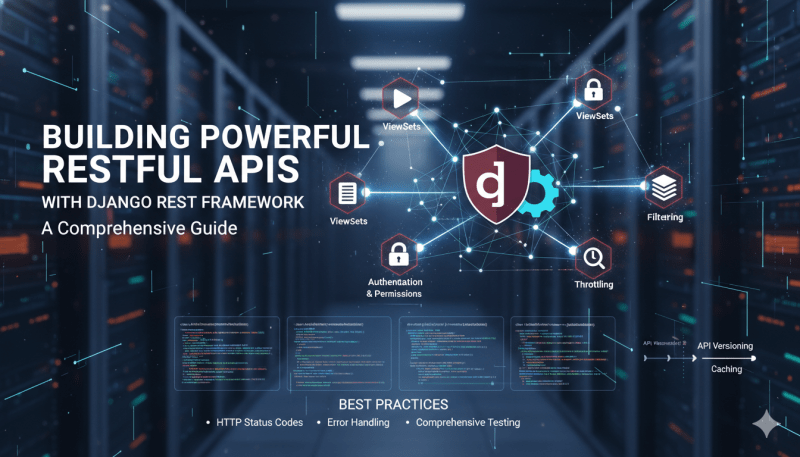
Building RESTful APIs with Django REST Framework (DRF)
Django REST Framework (DRF) is a widely-used toolkit designed for building web APIs on top of the Django framework. By integrating with Django’s ORM and authentication systems, DRF simplifies the development of scalable, secure, and maintainable RESTful endpoints.
---
Core Advantages of Django REST Framework
- Integration with Django: Utilizes existing models, managers, and validation logic.
- Serialization Engine: Simplifies the conversion of complex database objects into JSON, XML, or other formats, and handles deserialization and input validation.
- Browsable API: Generates an interactive web interface for exploring and testing endpoints directly from a browser.
- Extensible Architecture: Offers customizable components for authentication, permissions, throttling, and pagination.
---
Core Concepts
1. Serializers
Serializers manage the translation between complex Python objects (such as model instances) and structured data formats (such as JSON). They also handle data validation before saving instances to the database.
``python
from rest_framework import serializers
from .models import Article
class ArticleSerializer(serializers.ModelSerializer):
class Meta:
model = Article
fields = ['id', 'title', 'content', 'author', 'created_at']
read_only_fields = ['id', 'created_at']
`
2. ViewSets and Routers

ViewSets consolidate the logic for standard CRUD operations into a single class. Routers automatically construct the corresponding URL configuration, reducing repetitive URL routing code.
`python
from rest_framework import viewsets
from rest_framework.decorators import action
from rest_framework.response import Response
from .models import Article
from .serializers import ArticleSerializer
class ArticleViewSet(viewsets.ModelViewSet):
queryset = Article.objects.all()
serializer_class = ArticleSerializer
@action(detail=False, methods=['get'])
def recent(self, request):
recent_articles = Article.objects.order_by('-created_at')[:5]
serializer = self.get_serializer(recent_articles, many=True)
return Response(serializer.data)
`
3. Authentication and Permissions

DRF allows you to define authentication schemes and authorization policies at both the global and view levels. This ensures that endpoints are protected according to your access rules.
`python
from rest_framework.permissions import IsAuthenticated
from rest_framework.authentication import TokenAuthentication
class ArticleViewSet(viewsets.ModelViewSet):
queryset = Article.objects.all()
serializer_class = ArticleSerializer
authentication_classes = [TokenAuthentication]
permission_classes = [IsAuthenticated]
`
4. Pagination

To manage database resources and network payloads, pagination splits large datasets into smaller, structured chunks.
`python
from rest_framework.pagination import PageNumberPagination
class StandardResultsSetPagination(PageNumberPagination):
page_size = 20
page_size_query_param = 'page_size'
max_page_size = 100
`
5. Filtering and Searching

DRF integrates with packages like
django-filter to allow clients to query and sort data using URL parameters.
`python
from rest_framework import filters
from django_filters.rest_framework import DjangoFilterBackend
class ArticleViewSet(viewsets.ModelViewSet):
queryset = Article.objects.all()
serializer_class = ArticleSerializer
filter_backends = [DjangoFilterBackend, filters.SearchFilter, filters.OrderingFilter]
filterset_fields = ['author', 'published']
search_fields = ['title', 'content']
ordering_fields = ['created_at', 'title']
`
---
Implementation Best Practices
1. Return Standard HTTP Status Codes
Using appropriate HTTP status codes ensures that client applications can accurately interpret the outcome of their requests:
- 200 OK: Request succeeded.
- 201 Created: Resource successfully created.
- 204 No Content: Request succeeded, but there is no content to return (often used for DELETE requests).
- 400 Bad Request: Client-side validation failed.
- 401 Unauthorized: Authentication credentials are missing or invalid.
- 403 Forbidden: Authenticated user lacks permission to perform the action.
- 404 Not Found: Requested resource does not exist.
- 500 Internal Server Error: An unexpected error occurred on the server.
2. Use Idiomatic Exception Handling
In DRF, errors during database operations or object creation should be handled using serializers or custom exceptions rather than returning raw responses from lifecycle hooks. Raising a ValidationError ensures that DRF's built-in exception handler formats the error message consistently.
`python
from rest_framework.exceptions import ValidationError
class ArticleViewSet(viewsets.ModelViewSet):
queryset = Article.objects.all()
serializer_class = ArticleSerializer
def perform_create(self, serializer):
# Enforce application logic or raise an error that DRF handles gracefully
if not self.request.user.is_active:
raise ValidationError("Inactive users cannot publish articles.")
serializer.save(author=self.request.user)
`
3. Implement API Versioning

As API requirements change, versioning helps prevent breaking changes for existing API clients.
`python
settings.py configuration example
REST_FRAMEWORK = {
'DEFAULT_VERSIONING_CLASS': 'rest_framework.versioning.NamespaceVersioning'
}
`
4. Configure Throttling

Throttling helps protect application resources from excessive requests, unauthorized scanning, or basic denial-of-service attempts.
`python
from rest_framework.throttling import UserRateThrottle
class DailyUserThrottle(UserRateThrottle):
rate = '1000/day'
class ArticleViewSet(viewsets.ModelViewSet):
queryset = Article.objects.all()
serializer_class = ArticleSerializer
throttle_classes = [DailyUserThrottle]
`
5. Write Comprehensive Integration Tests

Testing endpoints with DRF’s
APITestCase helps verify that routing, authentication, and serialization behave as expected during code updates.
`python
from rest_framework.test import APITestCase
from rest_framework import status
from .models import Article
class ArticleTestCase(APITestCase):
def setUp(self):
self.article = Article.objects.create(
title='Test Article',
content='Test content'
)
def test_retrieve_article(self):
response = self.client.get(f'/api/articles/{self.article.id}/')
self.assertEqual(response.status_code, status.HTTP_200_OK)
self.assertEqual(response.data['title'], 'Test Article')
`
---
Advanced Considerations
- Custom Permissions: For complex business logic, you can subclass
rest_framework.permissions.BasePermission and implement custom authorization rules.
Performance Caching: Implementing caching strategies (e.g., using Redis) for read-heavy endpoints can significantly reduce database load.
Database Optimization: Ensure you use select_related and prefetch_related` on ViewSet querysets to prevent the $N+1$ query problem during serialization.
---
Conclusion
Django REST Framework provides a reliable, configurable toolkit for constructing RESTful web APIs. By leveraging serializers, ViewSets, and built-in security features, developers can establish clean patterns for API design while keeping the codebase maintainable.